Everyone’s asking the same question: ChatGPT vs Claude vs Gemini — which AI should I actually use?
I use all three. Every day. And after a year of building a content business, creating digital products, and managing a full-time retail career alongside it, I can tell you: they’re not interchangeable. Each one does something the others don’t do as well.
This isn’t a benchmark comparison or a feature-by-feature spreadsheet. This is what it’s actually like to use these tools daily — as a creator, builder, and professional — and which one to pick depending on what you need.
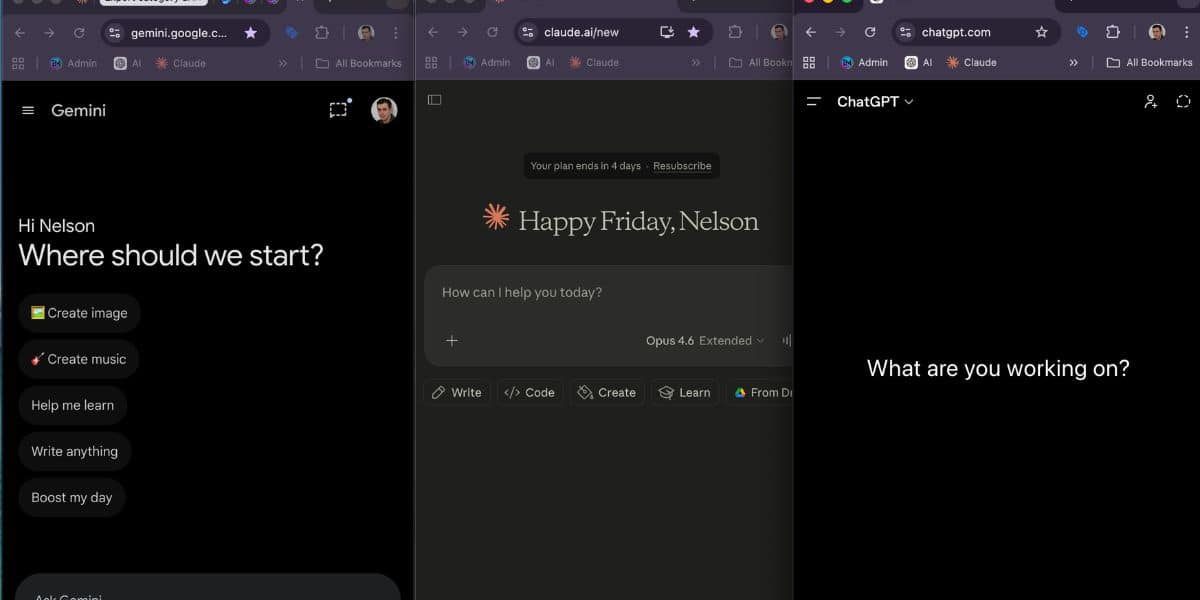
My daily setup: ChatGPT, Claude, and Gemini side by side — each with a different job.
The Market in 2026: Three Giants, Three Different Approaches
The AI market has shifted dramatically. ChatGPT is still the biggest, but it’s no longer the only serious option.
ChatGPT weekly active users
Gemini monthly active users
Claude monthly active users
ChatGPT market share
Sources: SQ Magazine, DemandSage, Fortune, Fatjoe (2026 data)
The numbers tell one story — ChatGPT dominates on volume. But the real story is in how people use them. ChatGPT’s app market share dropped from 69% to 45% in just one year. Claude has the highest engagement time per user at 34.7 minutes per session. And Gemini almost quadrupled its market share in twelve months.
The era of one AI doing everything is over. The question now is which one fits how you work.
ChatGPT: The All-Rounder
What It Does Best
ChatGPT is the Swiss army knife. It handles the widest range of tasks with the least friction. If you want one AI that does a bit of everything — research, writing, image generation, voice conversations, coding — ChatGPT is where most people start.
From my own experience, ChatGPT has become essential in two parts of my life. At work, I use it daily for creating Excel spreadsheets, writing reports, analysing data, and handling the kind of admin tasks that used to eat hours. For my side projects, it’s my go-to for image generation (I use it more than Canva AI now in 2026), brainstorming through voice mode (the interactive conversations on the Plus account are genuinely useful), and quick content creation where I need a solid first draft fast.

Created entirely with ChatGPT — image generation has replaced Canva for most of my visual work in 2026.
Where It Falls Short
ChatGPT’s writing can feel generic if you don’t prompt it carefully. It tends toward a “helpful assistant” tone that you’ve probably noticed in AI-generated content across the web. For long-form work that needs a distinct voice, it takes more effort to get the output right.
The other limitation: context management in long sessions. Claude handles extended conversations and large documents noticeably better.
Claude: The Builder’s AI
What It Does Best
Claude is the tool I didn’t expect to become essential — and now I can’t imagine working without it. If ChatGPT is the all-rounder, Claude is the specialist. And for creators and builders, it’s the better choice.
Here’s what changed everything for me: Artifacts. When Claude creates something — HTML, a tool, a document, a quiz — you can see it and test it right there in the conversation. You’re not copying code into another tool and hoping it works. You’re watching it come to life in real time, tweaking it, and iterating until it’s right.
Over the past year, I’ve used Claude to build quizzes, digital products, entire website sections, PDF playbooks, and interactive tools that I sell. Things I genuinely could not have imagined building before AI existed. Claude became my partner for building and taking my projects to levels I didn’t think were possible.

The Career Quiz — built entirely with Claude. Interactive tool with AI-generated personalised reports.
Where It Falls Short
Claude’s daily usage limits on the Pro plan are tighter than ChatGPT’s. You’ll hit them — especially on heavy building days. It doesn’t generate images. And it doesn’t have the voice mode that makes ChatGPT so good for on-the-go brainstorming.
My honest frustration with Claude? Time. Not the tool’s time — my time. Working with Claude opens up so many possibilities that the limiting factor becomes your own hours in the day. When you’re building a side project alongside a full-time career, the ideas come faster than you can execute them. That’s not a flaw — it’s a signal that the tool is genuinely powerful.
Gemini: The Research Layer
What It Does Best
Gemini is the one I use least for creation — but most for information. Its strength is Google’s infrastructure: real-time search grounding, Google Workspace integration, and the largest context window available.
If you live inside Google Docs, Sheets, and Gmail, Gemini reduces friction in ways the others can’t match. It can pull context directly from your Google Drive without you copying and pasting content into a chat window.
Where It Falls Short
For creating content, Gemini trails ChatGPT and Claude. The writing can feel corporate and over-structured. For building tools and products, it’s not in the same league as Claude. And while the Google integration is powerful, it also means you’re tied to one ecosystem.
I use Gemini when I need to search for information or verify something quickly. For everything else — creating, building, writing — I reach for ChatGPT or Claude.
Head-to-Head: The Comparison That Actually Matters
Forget benchmarks. Here’s how they compare on the tasks that professionals and creators actually do every day:
| Task | ChatGPT | Claude | Gemini |
|---|---|---|---|
| Workplace tasks (Excel, reports) | Best — file creation + analysis | Strong for reports and docs | Good within Google Sheets |
| Writing a blog post | Good first drafts, fast | Best quality, natural voice | Adequate but generic |
| Building a tool or product | Capable | Best — Artifacts are a differentiator | Limited |
| Image generation | Excellent (DALL-E) | Not available | Good (Imagen) |
| Voice conversations | Excellent (Plus) | Limited | Available |
| Research with sources | Good (web browsing) | Good (web search) | Best (Google grounding) |
| Coding | Strong | Strongest (tops benchmarks) | Competitive |
| Long documents | Good (128K context) | Best (up to 1M tokens) | Good (1M tokens) |
| Creating digital products | Capable | Best — real-time preview | Not suited |
| Quick everyday tasks | Best — widest features | Great but hits usage limits | Good within Google |
| Brainstorming | Best — voice mode shines | Excellent in text | Adequate |
The Pricing Reality
| Plan | ChatGPT | Claude | Gemini |
|---|---|---|---|
| Free tier | Generous — covers most daily use | Useful but limited | Most capable free plan |
| Plus / Pro | $20/month (Plus) | $20/month (Pro) | $20/month (Advanced) |
| Premium tier | $200/month (Pro) | $100/month (Max) | — |
| What Plus/Pro unlocks | GPT-4o, voice, DALL-E, deep research | Opus, higher limits, Artifacts | Gemini Advanced, 1M context, Workspace AI |
| What Premium unlocks | o1 pro mode, unlimited GPT-4o, priority | 5x usage, extended thinking, higher limits | — |
| Best free value | Second | Third | First |
| Best paid value | Widest features at $20 | Best for builders at $20 | Best for Google users at $20 |
My setup: Claude Max ($100/month) + ChatGPT Plus ($20/month). That’s over $100/month on AI — and it’s worth every penny.
Why Claude Max? Because when you’re building tools, products, and content at pace, the Pro plan’s usage limits stop you mid-flow. Max gives you the headroom to build without interruption. I tried ChatGPT Pro ($200/month) as well, but at this stage Claude’s Max plan adds more value to how I work — the Artifacts, the building capability, the writing quality. So I dropped ChatGPT to Plus and went all-in on Claude Max.
This isn’t a cost for everyone. If you’re starting out, the free tiers are genuinely enough. But if you’re serious about growing with AI over time, investing in the premium tier of the tool you use most is the single best return on investment you’ll make.
The Verdict: Which One Should You Use?
You want one AI for everything — writing, images, voice, research. You value breadth and speed over depth.
You create content, build tools, code, or make digital products. You want quality and accuracy over speed.
You live in Google Workspace and need real-time information. You want AI embedded in your existing tools.
What I Actually Do: The Two-Tool Stack
Here’s the truth nobody in comparison articles tells you: most power users don’t pick one. They pick two.
My daily stack is ChatGPT + Claude. ChatGPT handles quick tasks, image generation, brainstorming via voice mode, and anything I need done fast. Claude handles the heavy lifting — building tools, writing quality content, creating digital products, and any project that needs multiple iterations.
Gemini is my third option, used specifically when I need Google Search-grounded research or when I’m working inside Google Docs.
That’s it. Two primary tools, one backup. I’d rather master two than dabble in five.
If you want to go deeper on building a complete AI workflow, read The AI Productivity Stack for Working Professionals. And to explore more options by category, the AI Tools Directory has 40+ curated tools organised by workflow.
How to Decide in 60 Seconds
Different working styles benefit from different tools. The AI Working Style Quiz reveals whether you’re a Creator, Analyst, Strategist, Connector, or Optimizer — then recommends specific tools and prompts matched to your strengths.
Take the Free AI Working Style QuizWant ready-made prompts for all 5 AI types? 100 AI Power Prompts — £9.99
Frequently Asked Questions
Last updated: April 2026. Pricing and features reflect current plans at time of writing. This comparison is based on personal daily use — not sponsored by any AI company.